_Wearereasonablepeople (warp)

Home control system: Home care

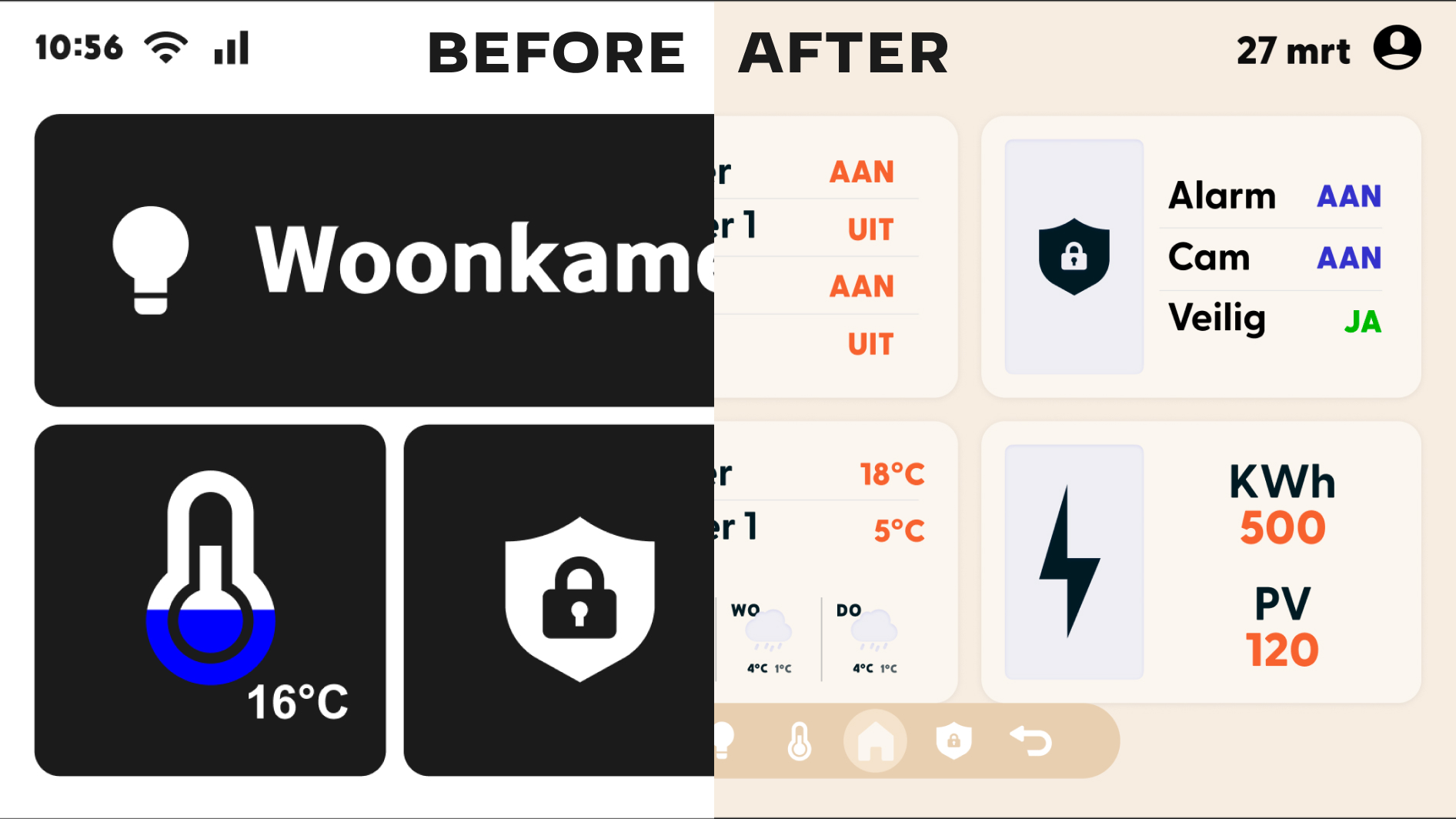
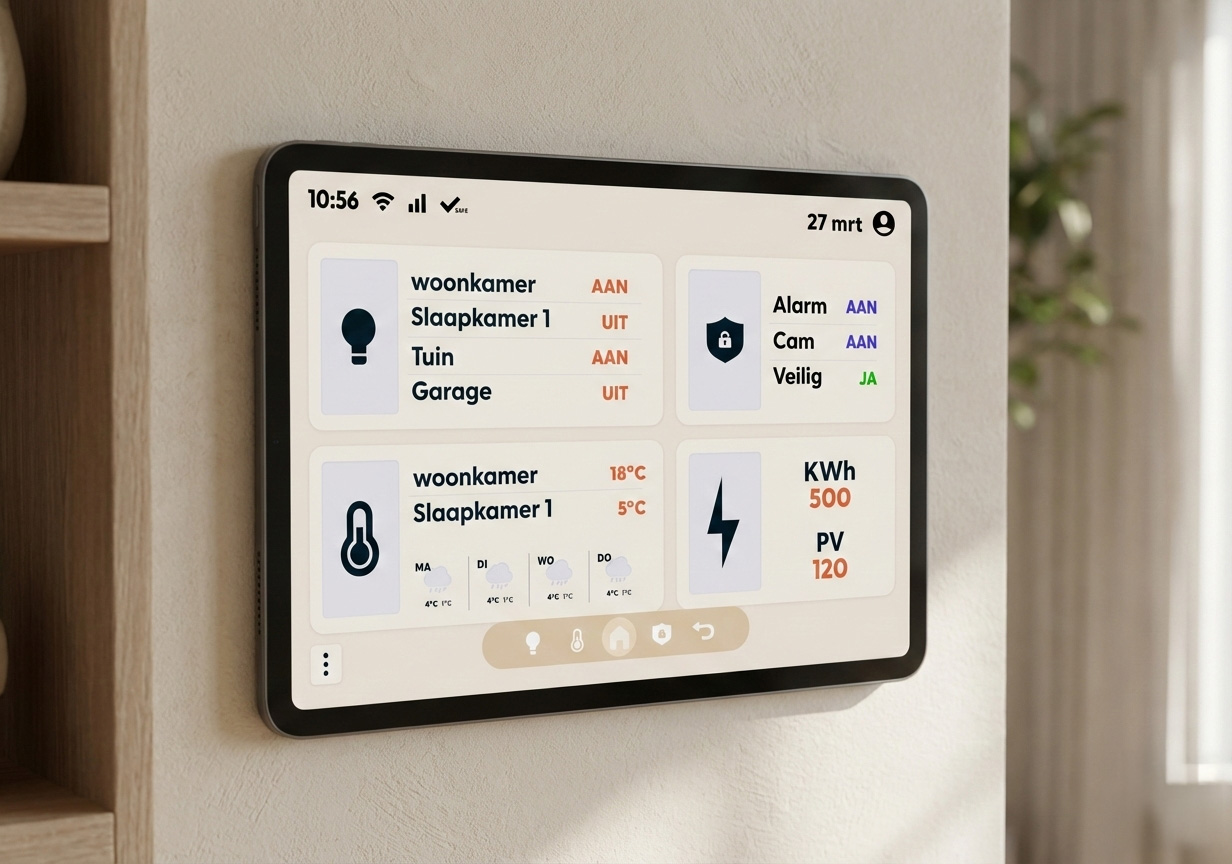
The final result of Homecare is a user-friendly system that offers comfort and convenience to families, with the goal of helping reduce rising electricity, water, and gas costs. Homecare provides a solution by allowing users to control lighting, security, and temperature within one integrated system. Additionally, it gives users all the necessary information about their energy consumption, which is essential for making targeted savings.

To effectively tackle the situation, I carried out a series of tasks:

1. Developing the prototype

First, I created multiple versions of the prototype. In each iteration, I experimented with different designs, allowing various perspectives to be explored during user testing.

2. Planning, planning, and more planning

I was responsible for maintaining the project schedule. Regularly reviewing the planning helped to assess the feasibility of the intended outcome within the set timeline.

3. Methods and techniques

Another crucial step was applying different methods to test usability and user preferences. Various methodological approaches were used.

Within the team, each member could choose one of four screens to work on throughout the project. My personal choice and assigned responsibility focused on the dashboard — the screen users encounter first.

At the start of the project, I conducted a case study to gain insights into the topic and similar systems. Additionally, I worked per iteration on the flowchart, wireframes, and prototypes to reach a final result.

Iteration 1

After completing the case study, I began creating the flowchart, wireframe, and prototype. I encountered challenges in generating diverse versions. From iteration 2 onward, I shifted my focus to developing more design variations, which clearly emerged during testing.

Iteration 3

Here, I partially designed the style guide based on insights from the user tests. Leading up to the testing in iteration 2, we had also created style tiles.

Throughout the entire process, I made progress in the design phase. I saw the value of creating multiple wireframes and prototypes to gain deeper insights. Additionally, I discovered various methods and techniques during the user testing phase.

During testing, I applied several methods to gather comprehensive insights. One area for improvement would be to define in advance which specific information I want to gain from the tests and base my choice of methods on that. This could improve test efficiency and yield more targeted insights.

User Research
Visual Design
Interaction Design
Gempoint: Rotterdam’s Digital Guest Assistant

The Gempoint project focuses on the development of the virtual assistant Gem, which is used by the City of Rotterdam to provide residents with low-threshold support for municipal processes. Our team’s challenge was to explore how Gem could be made more inclusive for different target groups. We specifically focused on young people aged 17 to 25 with autism, as they often face obstacles in interacting with the city and few solutions had been developed for them so far.

View case
User Research
Ideation
Interaction Design
collaborate
Visual Design
Rotterdam Towards a Hybrid World

The Hybrid World project revolves around multi- and interdisciplinary collaboration and addressing a societal challenge within the smart and social city, commissioned by the City of Rotterdam. The City of Rotterdam is currently working on a digital twin, a digital copy of the physical city, which is not yet widely accessible to citizens, businesses, and other stakeholders.

View case
User Research
Ideation
Trade food app: Zero to zero

Het uiteindelijke resultaat is ZERO to ZERO. ZERO to ZERO geeft een inzichtelijk overzicht van alle houdbare producten en geeft het de mogelijkheid om gemakkelijk producten te delen en ruilen met andere mensen of organisaties. Het doel van dit product is, om voedselverspilling tegen te gaan.

View case